Take Command of Your Focus with Reality
The Best Focus & Discipline App | Military-Grade Android Blocker | 100% Transparent
Reality is not another bypassable app timer. It's a zero-server, local-first productivity operating system with transparent AI (GPT-OSS 20B & 120B), secure on-device analytics, BYOC sync, and 100% auditable source code.
🚀 Fully Transparent Architecture
Every line of code is open for audit. Our AI workers run on Cloudflare, the website is Next.js, APK builds are automated via GitHub Actions, and subscription management is auditable. Zero hidden servers. Zero data collection. Your focus metrics, journals, and calendar data stay on your device or in your personal Google Cloud—never touch Neubofy servers.
AMOLED Cinematic User Interface
Visual mockups of the principal modules running inside Reality.
Explore the Interface
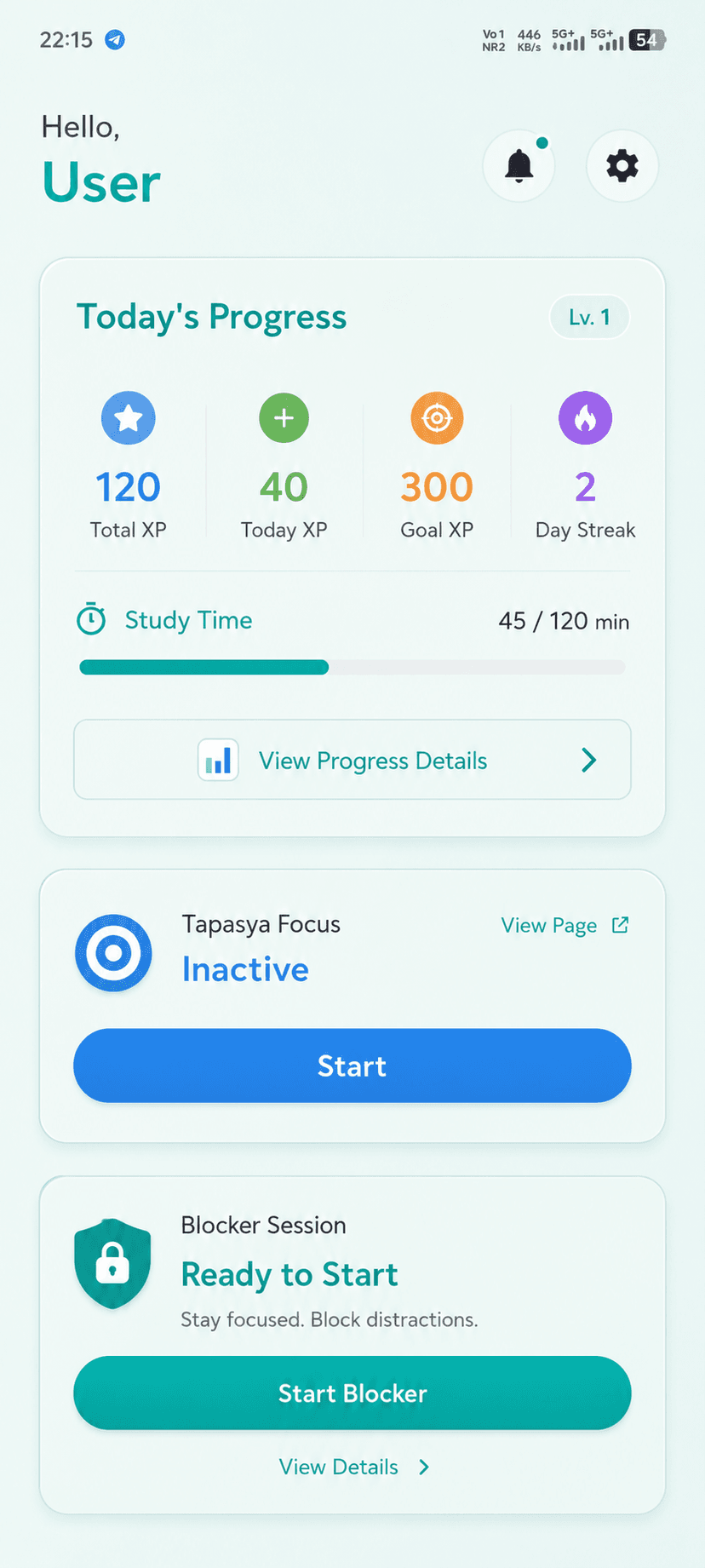
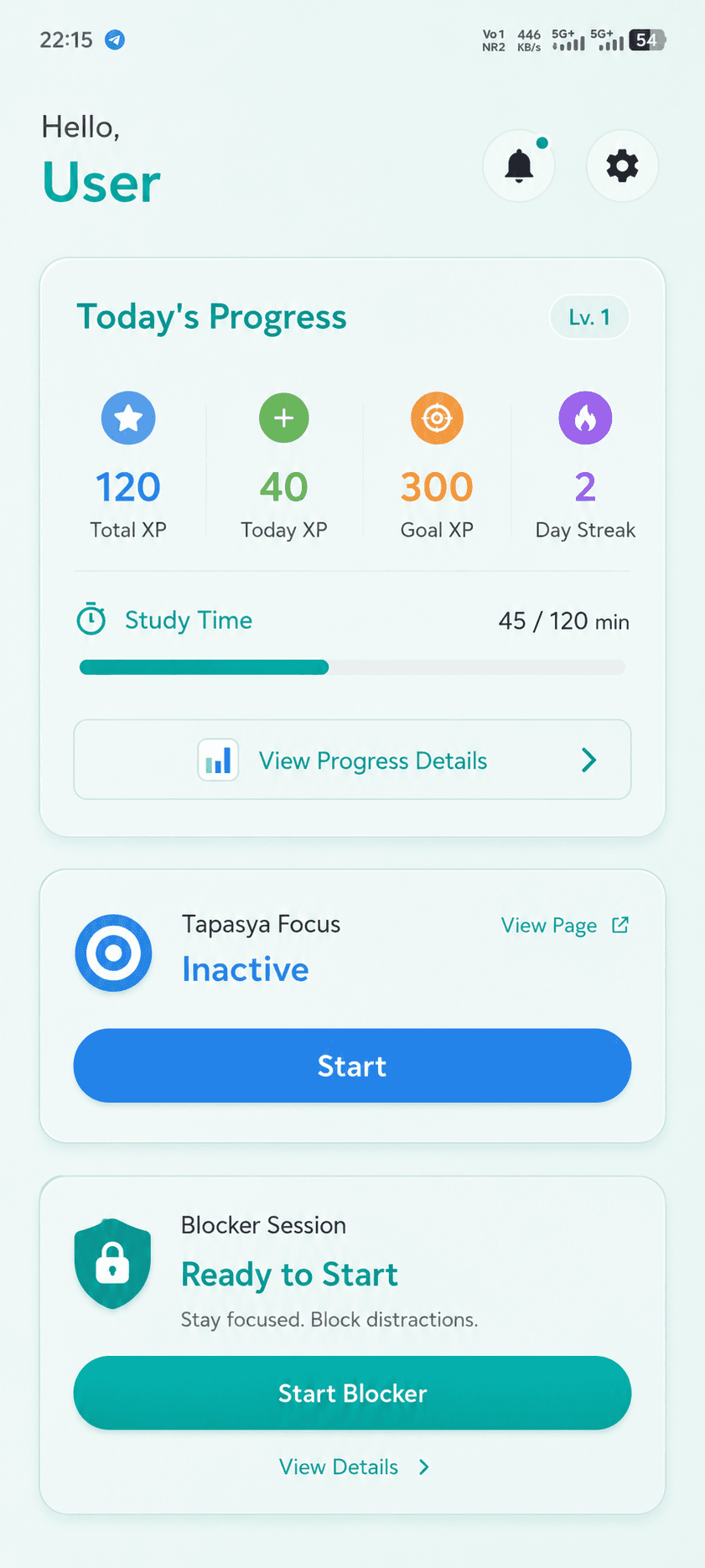
Life OS Dashboard
Central metric console showing active focus scores, XP delta levels, and local database sync trackers.
How Everything Connects
A seamless, local-first ecosystem where your Android device acts as the central hub, deeply integrated with Google Workspace and Tapasya Web.
App Blocker & Nightly
Military-grade blocking, automated evening reflection, and wakeup math.
Intelligence Assistant
On-device context engine using MCP to route actions and analyze logs.
Reality Hub
The Android core powering the entire ecosystem securely offline.
Google Workspace
BYOC Drive Sync, Calendar, Tasks, and Gemini Docs integration.
Tapasya Web
Connected web portal for distraction-free deep work and analytics.
Technical Connections & Visual Flows
Complete visual mappings explaining Reality's security policies, database ORM relations, on-device managers, and Cloudflare Worker endpoints.
Block Verification & Tamper Loop
Reality secures your focus using a combination of local system hooks and remote verification to prevent tampering:
- Accessibility Watchdog: Instantly hooks layout update triggers to scan package titles against forbidden paths.
- Secure Time Verification: Reality requires an internet connection to sync with Cloudflare NTP, ensuring users cannot bypass blocks by changing device time.
Database schema (Room ORM)
Reality records local state using Room ORM mapping directly to an isolated database file, while relying on cloud connectivity for secure AI features and verifiable time syncs:
- Alarms & Tasks: Store scheduled times, snooze counts, and bidirectional task identifiers.
- AI Memories & Reflections: Log sliding-window facts and user introduction variables required for remote AI processing.
Google Drive Encrypted Backups
Your backups stay in your control. The application encrypts local data packages before initiating uploads directly to the user's Drive folder:
- Local Encryption: Database schemas and shared preferences are compiled and encrypted on-device.
- Drive Transfer: Interacts directly with the personal Google Drive API endpoint.
Google Calendar & Tasks Handshake
Integrates calendar routines and tasks securely on your terms. Direct client-side OAuth handles authentication without middle servers:
- Credentials Validation: Interacts with Google Auth server using your client ID configs.
- Synchronized writing: Automates tasks/events updates in Google Tasks and Calendar.
Cloudflare Edge: Secure Time & AI Model
Provides critical cloud infrastructure for Reality, ensuring high performance, security, and tamper resistance:
- Secure Edge AI Model: Runs the Reality Intelligence Assistant securely on Cloudflare Workers with generous usage limits, protecting prompt logic.
- Cryptographic JIT Identity: Processes user-specific identity maps via server-side HMAC-SHA256, protecting AES key seeds from client-side exploitation.
- Time Verification: Uses Cloudflare NTP to guarantee accurate session times independent of the device clock.
Tapasya focus logic
Tapasya monitors work blocks dynamically. If focus is interrupted, penalties are applied and the active work chunk is reset:
- Effective Focus Calculation: Aggregates focus in strict 15-minute segments.
- Tamper penalty: Distraction activities trigger penalty lockouts.
Math Alarm Difficulty Scaling
Alarms dynamically scale question complexity depending on the hour to prevent snooze-skips on early mornings:
- Time Check Trigger: AlarmManager checks current hour.
- Scale multiplier: Earlier hours generate complex arithmetic challenges.
Model Context Protocol (MCP) Tool Routing
Reality Intelligence Assistant operates on the Model Context Protocol (MCP) to run tools securely based on user instructions:
- Command Parsing: Chat prompts are parsed to identify tool requirements.
- Registry execution: Binds actions directly to `ToolRegistry.kt` for automation.
Appearance & Theme Engine
Handles the user's customized UI. Styling setups dynamically map XML layouts and vector fonts:
- Theme Mapping: Applies custom vector resources and layouts to the UI elements.
- Fonts Integration: Injects customizable assets to style dashboard consoles.
Direct Local-First Architecture
No servers between your device and your personal cloud storage.
On-Device Privacy
All credentials, usage databases, and authentication logs are saved locally inside EncryptedSharedPreferences and an encrypted SQLite database. You configure your own personal Google Cloud credentials.
Bypass & Tamper Prevention
Reality prevents time manipulation and force-stops using background verification loops. If a settings-level override attempt is detected, Strict Mode blocks the request and logs the incident.
Reality Intelligence Assistant
Open-Source AI with Transparent Edge Architecture
Cloudflare AI Workers
We do not provide the option to run AI models locally. Instead, open-source GPT-OSS 20B and 120B models are processed via Cloudflare Workers. We also provide the option for users to use Gemini models by providing their own API key. Your conversations, journal reflections, and task requests are processed with complete privacy and we do not store any chats.
- Complete data privacy, like local models
- Zero load on your device
- No telemetry or logging
Cloudflare Edge Speed
By relying on Cloudflare AI Workers, Reality provides inference speed on complex tasks, as well as JIT cryptography. No data is stored or logged on edge servers.
- Leveraging Edge server speed
- Open-source Workers code
- Fully auditable on GitHub
All infrastructure code, AI worker implementations, and encryption logic are visible in the GitHub repository for independent security audits.
Audit AI Workers on GitHubHost Your Own Workspace Sync
Bring Your Own Cloud (BYOC) for ultimate control.
OAuth Project Architecture
To ensure no centralized database has access to your files, you connect Reality directly to your Google Cloud Console project. All Google Tasks, Calendar events, and Drive files sync through your own credentials.
Required OAuth Scopes
- https://www.googleapis.com/auth/calendar.events
- https://www.googleapis.com/auth/drive.file
- https://www.googleapis.com/auth/tasks
- https://www.googleapis.com/auth/userinfo.email
- https://www.googleapis.com/auth/userinfo.profile
- openid
1. Configure Google Cloud Console
Go to the Google Cloud Console, create a new project, and enable the Calendar, Drive, and Tasks APIs.
2. Set Up OAuth Consent Screen
Set up an External OAuth Consent Screen. Add your Google account email as a Test User. Add the scopes listed above.
3. Generate Desktop Credentials
Go to Credentials > Create Credentials > OAuth client ID. Select Desktop application as the Application type, name it, and copy the generated Client ID and Secret.
4. Save in Reality App
Open Reality App > Go to Elite Page or Profile Page > Tap the Settings icon in the top right. Paste your Client ID and Secret and click Save.
Want an AI to guide you?
Copy this prompt and paste it into ChatGPT or Google Gemini. It will walk you through the entire Google Cloud Console setup step-by-step.
Help me set up a Google Cloud Console project for a local-first Android app called "Reality".

Walk me through these steps one by one. Don't give me the next step until I say "done".

Step 1: Go to Google Cloud Console and create a new project.
Step 2: Enable the following APIs: Google Calendar API, Google Tasks API, Google Drive API.
Step 3: Setup the "OAuth Consent Screen" as "External". Fill in the mandatory app details.
Step 4: In the "Scopes" section of the consent screen, add exactly these 6 scopes:
- https://www.googleapis.com/auth/calendar.events
- https://www.googleapis.com/auth/drive.file
- https://www.googleapis.com/auth/tasks
- https://www.googleapis.com/auth/userinfo.email
- https://www.googleapis.com/auth/userinfo.profile
- openid
Step 5: Set the publishing status to "Testing" and add my own email to the "Test Users" list.
Step 6: Go to "Credentials" -> "Create Credentials" -> "OAuth Client ID".
Step 7: Choose Application Type: "Desktop app". (This is critical because the app uses a local 127.0.0.1 redirect).
Step 8: Give me the Client ID and Client Secret.

Once I have the keys, tell me to open the Reality App -> Go to the Elite Page or Profile Page -> Tap the Settings icon in the top right -> Paste the Client ID and Secret and click Save.
"Your data. Your focus. Your life.
On YOUR terms."
Built by someone who lost control of their own fingers. Designed for those who want it back.
— Pawan Washudev